All work

NookExperiment · Public beta 0.1

Your notch, now a nook.

A native macOS app that turns the MacBook notch into a small, friendly home for what matters right now — from the logo to the app to the launch site, designed and built in four days.

Role

Design, brand & code

Timeline

4 days · 48 commits

Platform

macOS 26 Tahoe

Stack

Swift 6 · SwiftUI · Three.js

Status

Public beta 0.1

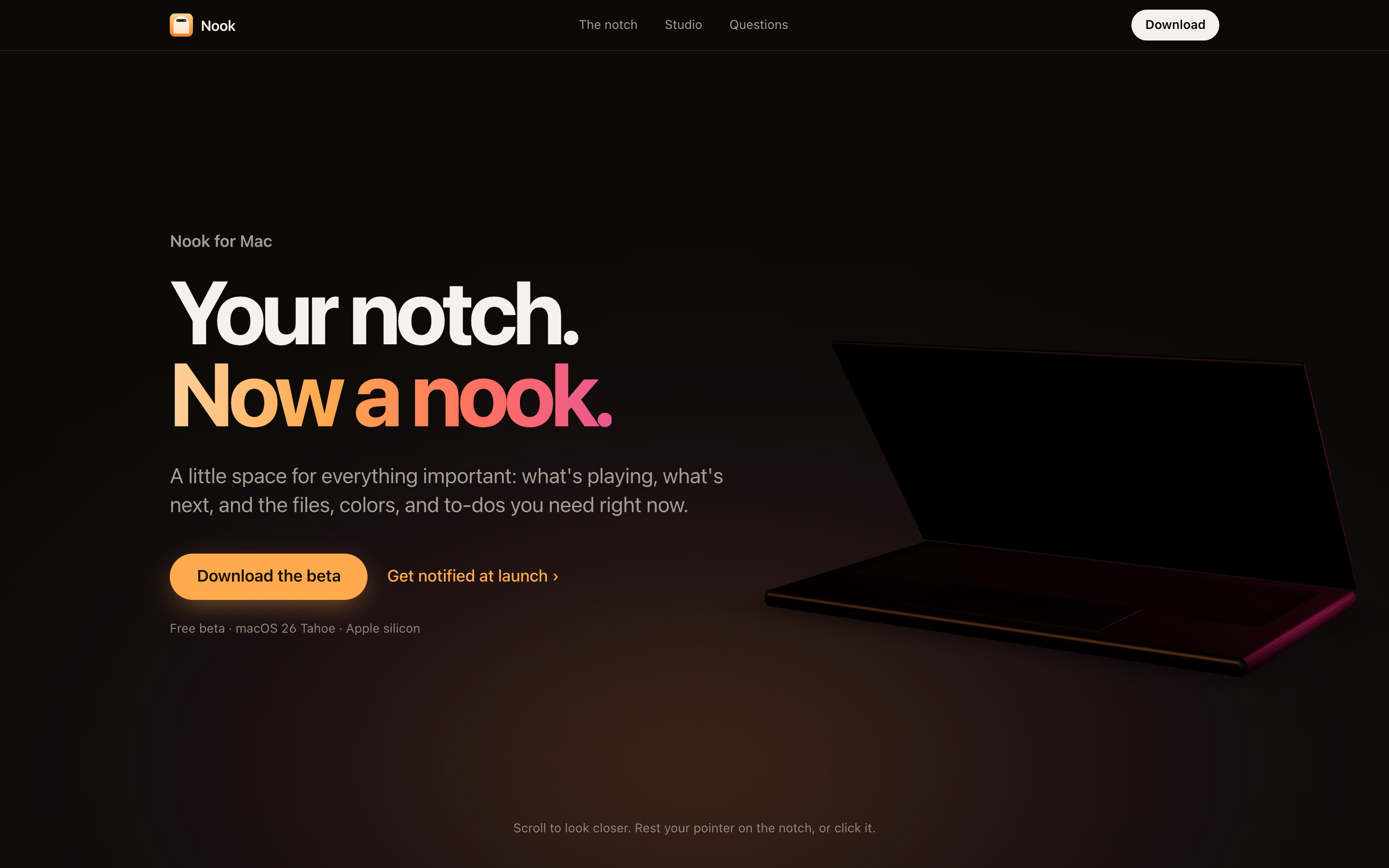
The Nook landing page: a 3D MacBook with the island live in its notch
01

The idea

The notch is the one part of a MacBook screen nobody uses. Nook turns it into a glanceable island for the way designers and makers work: music and calls, but also files, screenshots, colors, and the next thing to do — each one a hover away.

  • 01One glance, one thingThe closed island shows the single most important live activity. A second one waits in a small bubble beside it.
  • 02Calm by defaultMotion is budgeted by how often you see it. Things seen a hundred times a day don't bounce.
  • 03Never guessWhen Nook makes a file smaller, it measures that it still looks the same.
  • 04Friendly wordsShort, kind, plain: “All clear for today”, “Drop files here to keep them close”.
  • 05Everything stays on your MacNo account, no tracking, no cloud.
02

The mark is the product

A cream arch — the nook, a small sheltered place — on a honey tile. Inside it, a black pill is the island, with an orange dot and a tiny waveform: something is live. On the website the mark is code, not an image — it animates its own story.

The mark is code, not an image — watch it build itself. Hover it: the island stretches and the waveform plays.

Honey

#FF9F43

The accent: buttons, live states, the waveform

Near-black

#0C0A09

Site background, never pure black

Island

#000000

The island itself, so it melts into the notch

Coral → Rose

#FF6F61 → #E8578F

Gradient words and light, never UI

Mint

#3CCF91

“It worked”: savings, success

App type is SF Rounded, so a black shape in the notch still feels friendly. The app ships with Honey and offers twelve accents, plus following the Mac's own.
03

One job at a time

The island has a small priority system: open beats everything; a key press beats a toast; a recording beats music, because forgetting it costs most. Rest on it and it grows.


Nook island — Music, with the waveform live
Music, with the waveform live
Nook island — Grown on hover — mini player
Grown on hover — mini player
Nook island — Event ten minutes out
Event ten minutes out
Nook island — Recording — Stop, Restart, Discard
Recording — Stop, Restart, Discard
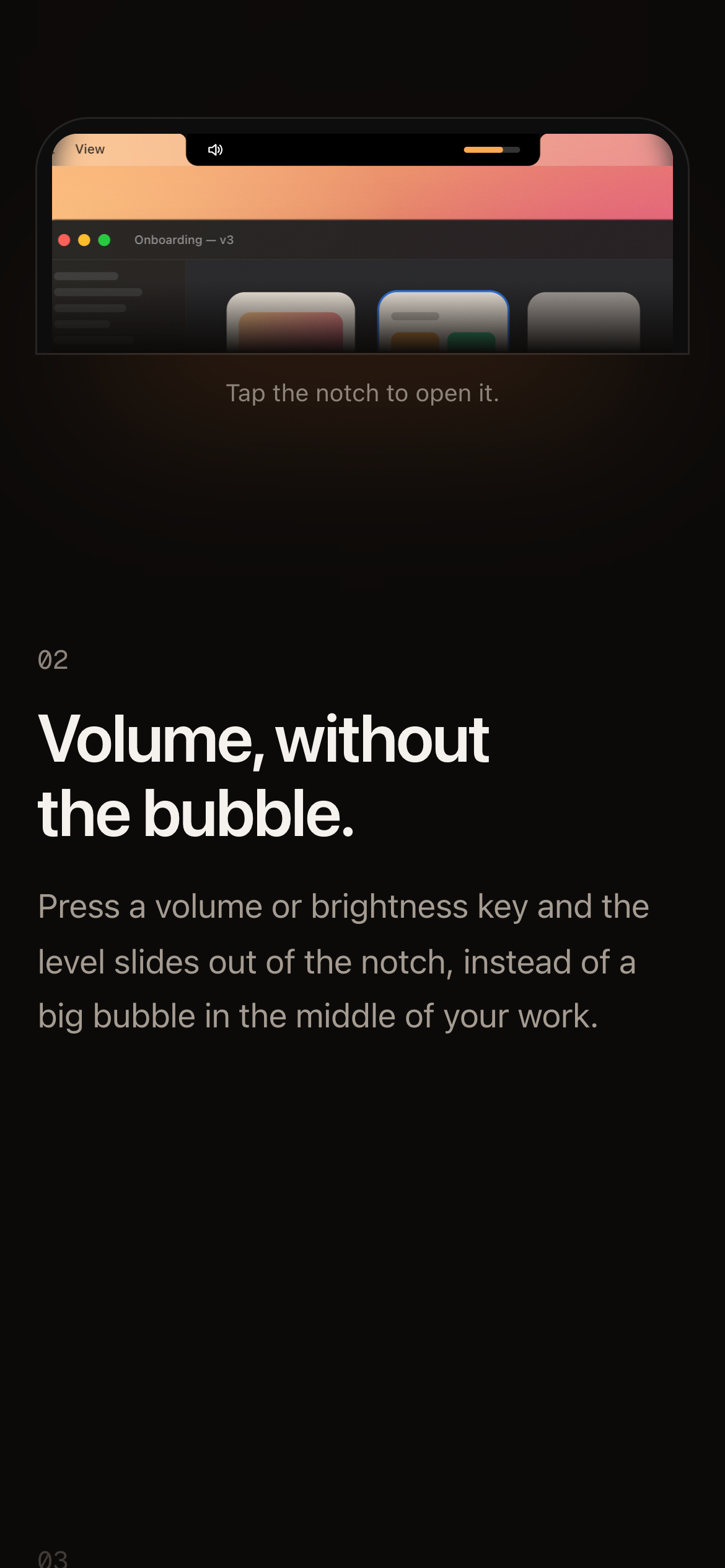
Nook island — Volume key press
Volume key press
Nook island — Screenshot preview, ready to drag
Screenshot preview, ready to drag
Nook island — Duo — a second activity beside the island
Duo — a second activity beside the island
Nook island — Focus timer running
Focus timer running
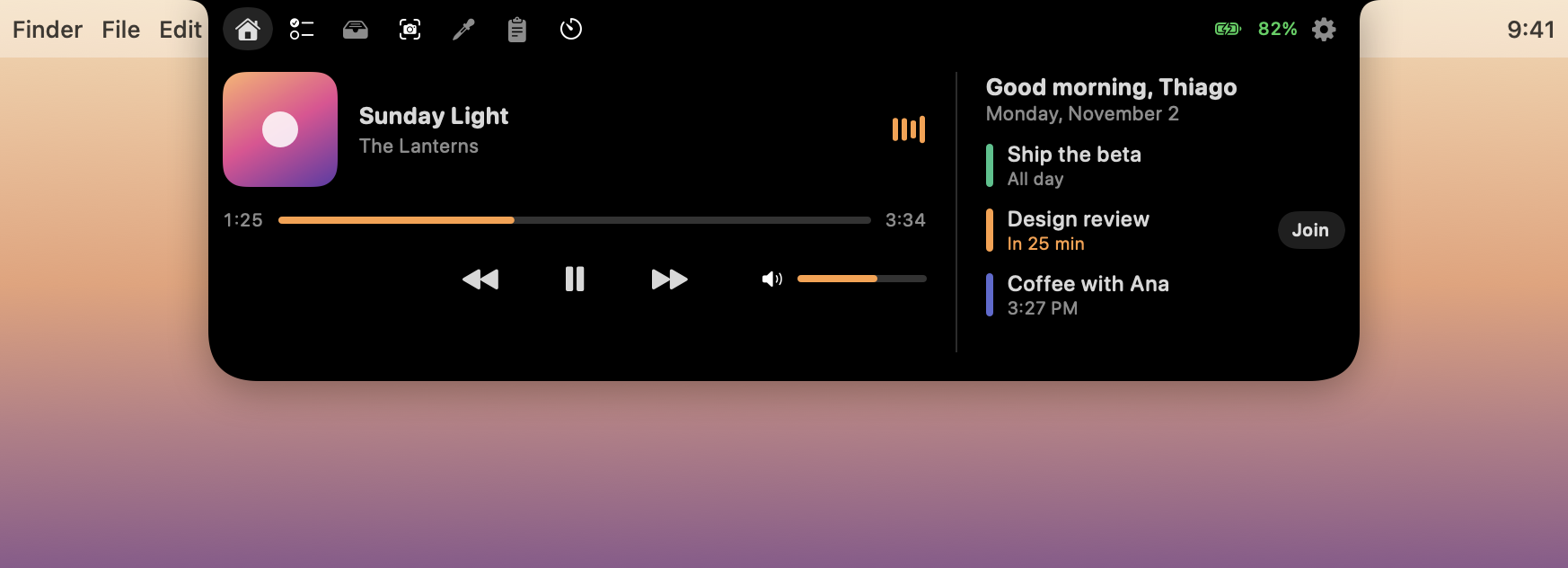
Nook open on Home: now playing with a volume slider and today's agenda
Open — Home: now playing and today's agenda from every calendar, with Join one click away
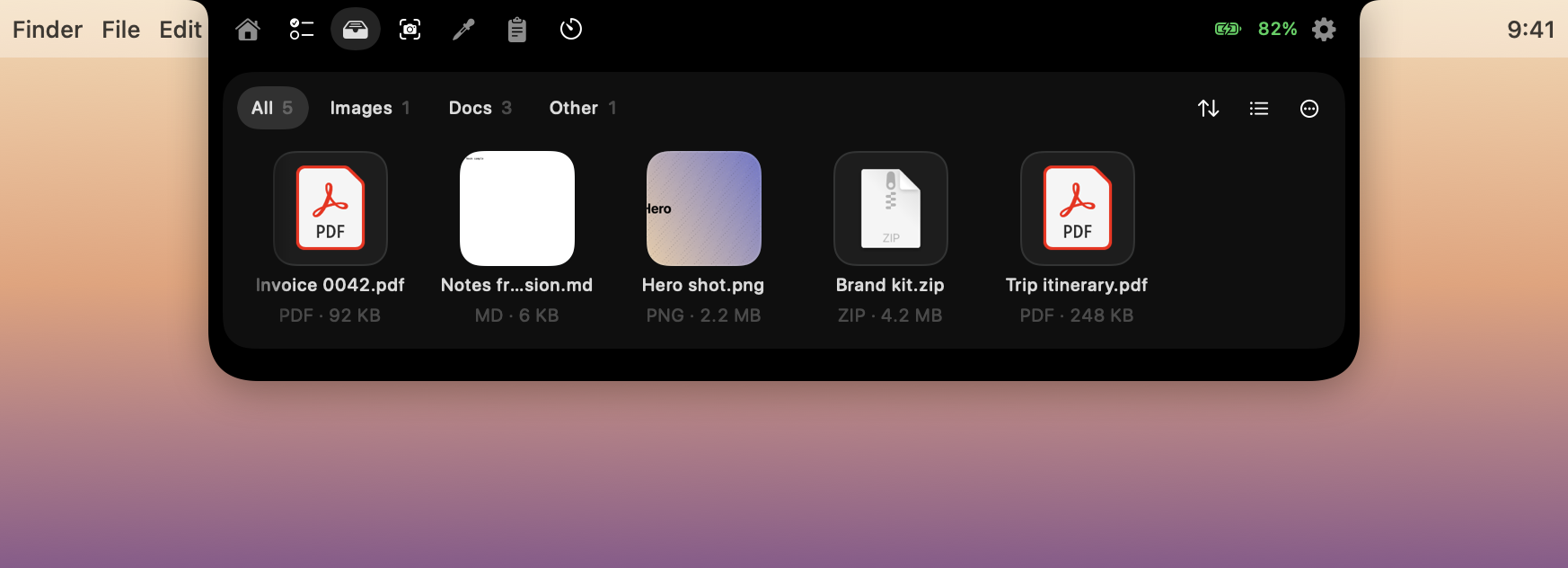
The Shelf: a tray of files with real previews
Shelf — a tray for the files you're about to use
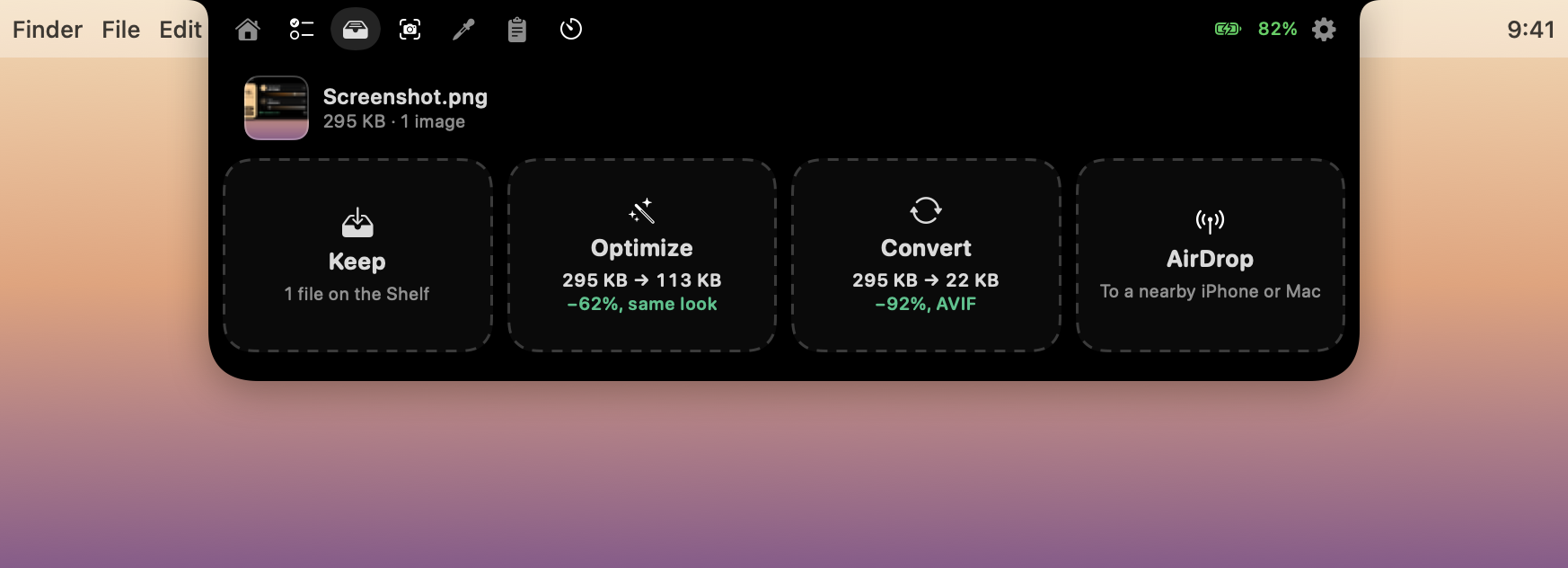
Drop zones showing measured results before the drop
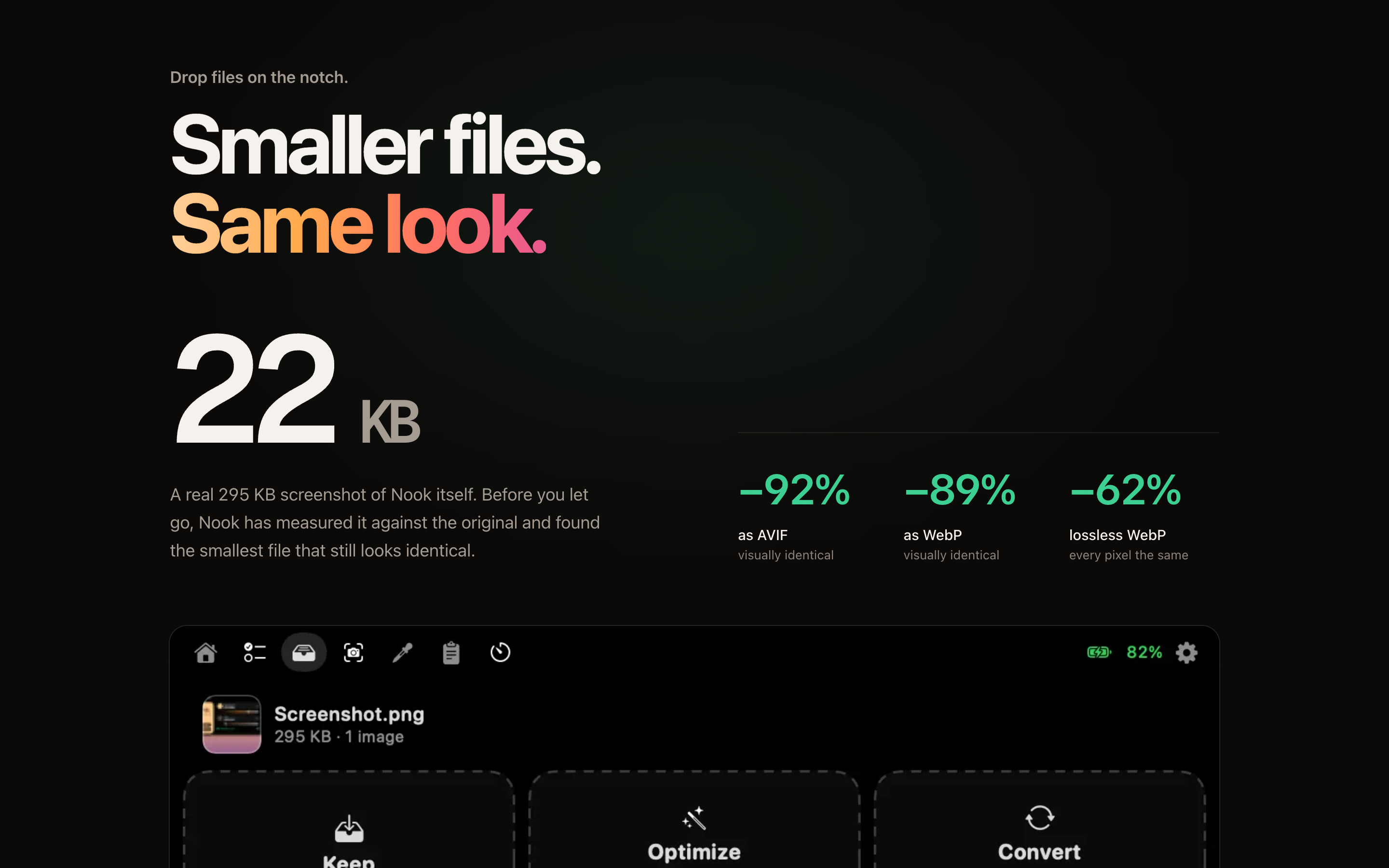
Drop zones show the real result — “295 KB → 22 KB, −92%” — before you let go
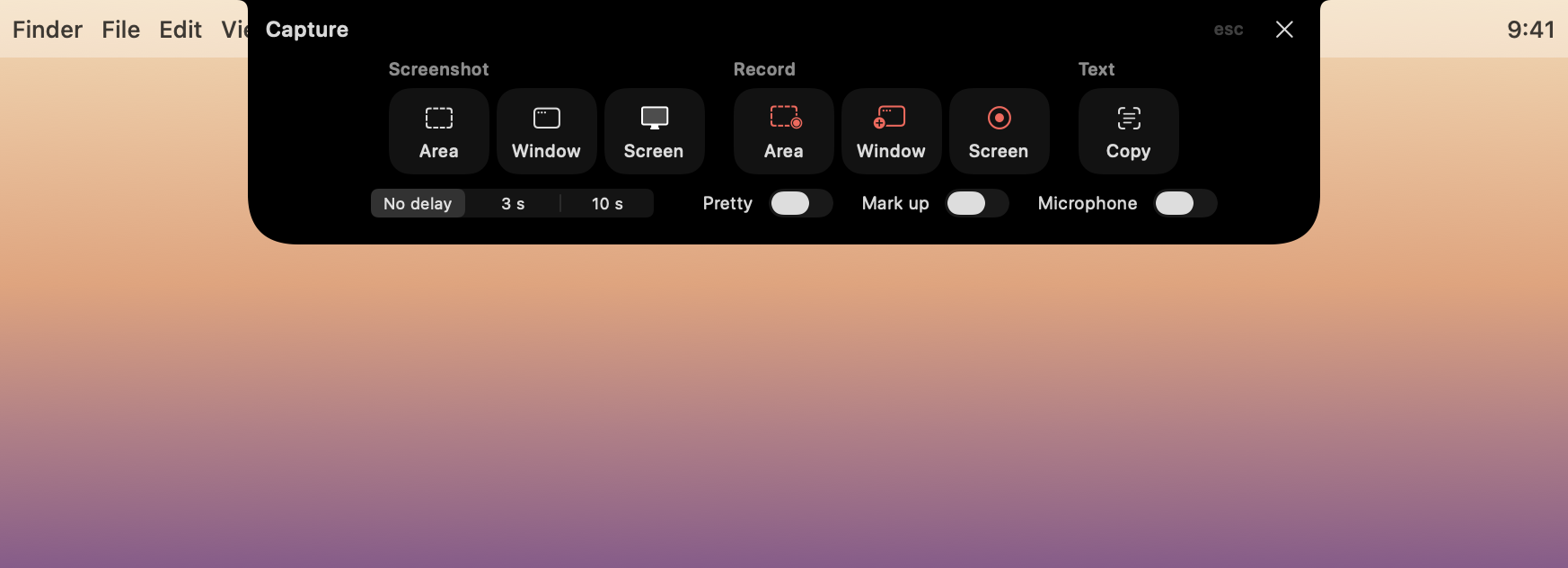
The capture bar grown from the island
⌃⌥5 grows the island into one capture bar
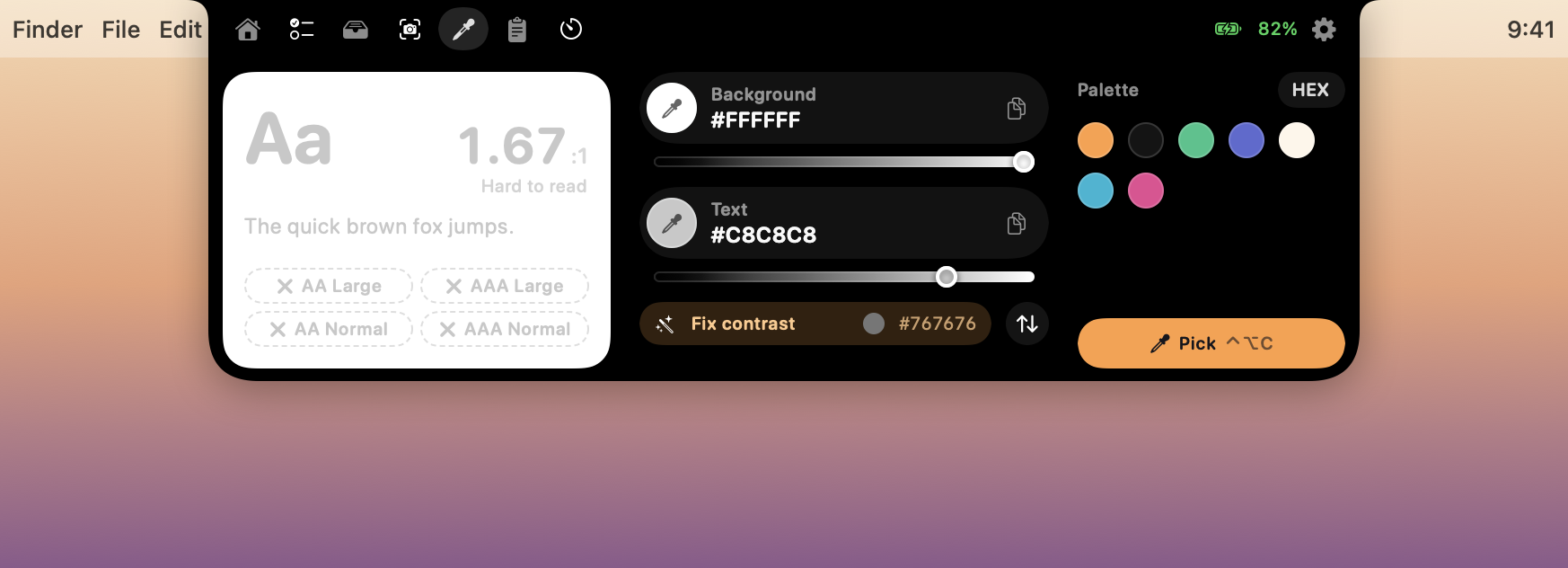
The contrast checker suggesting the nearest passing shade
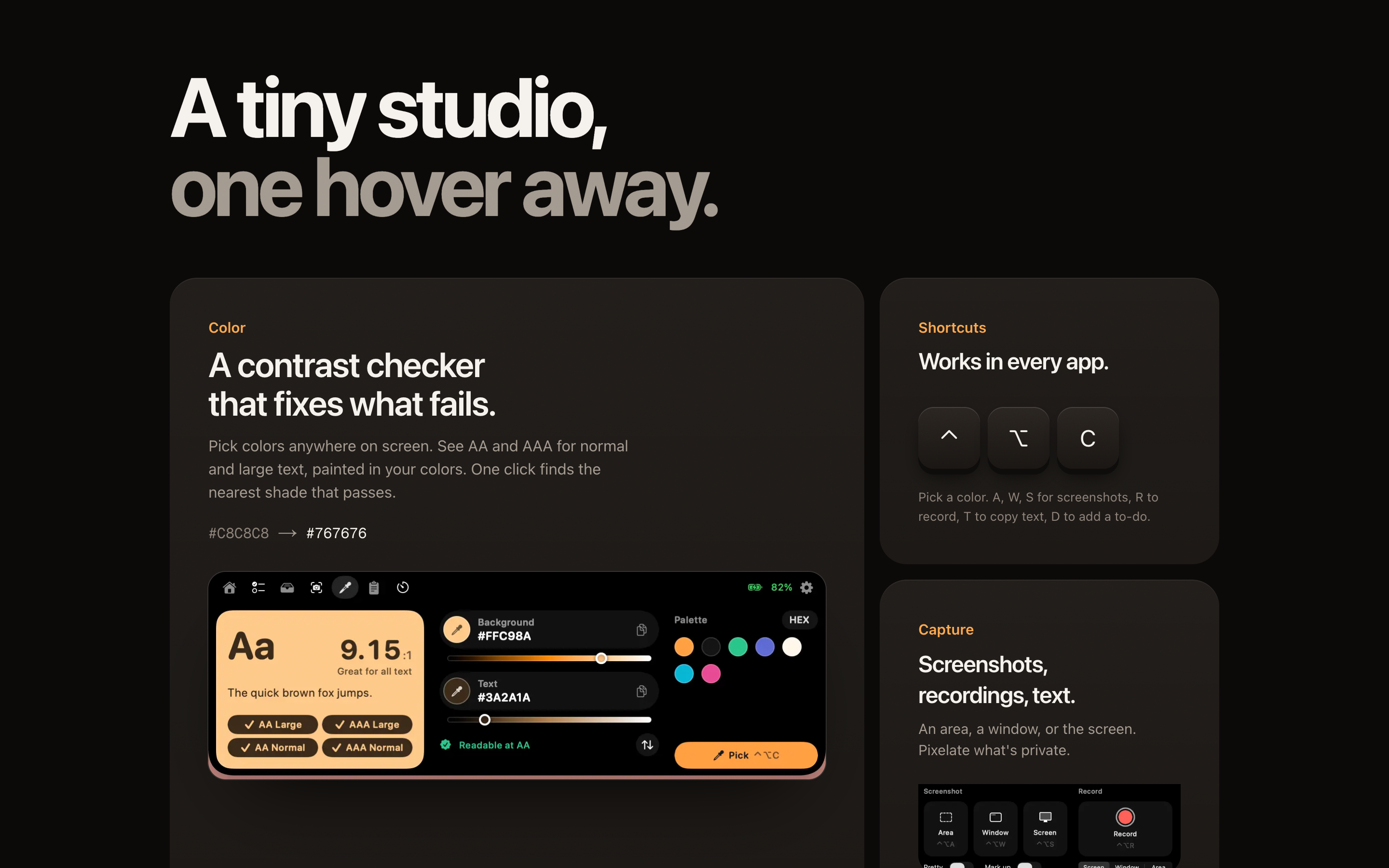
Color — a contrast checker that doesn't just fail: it finds the nearest shade that passes
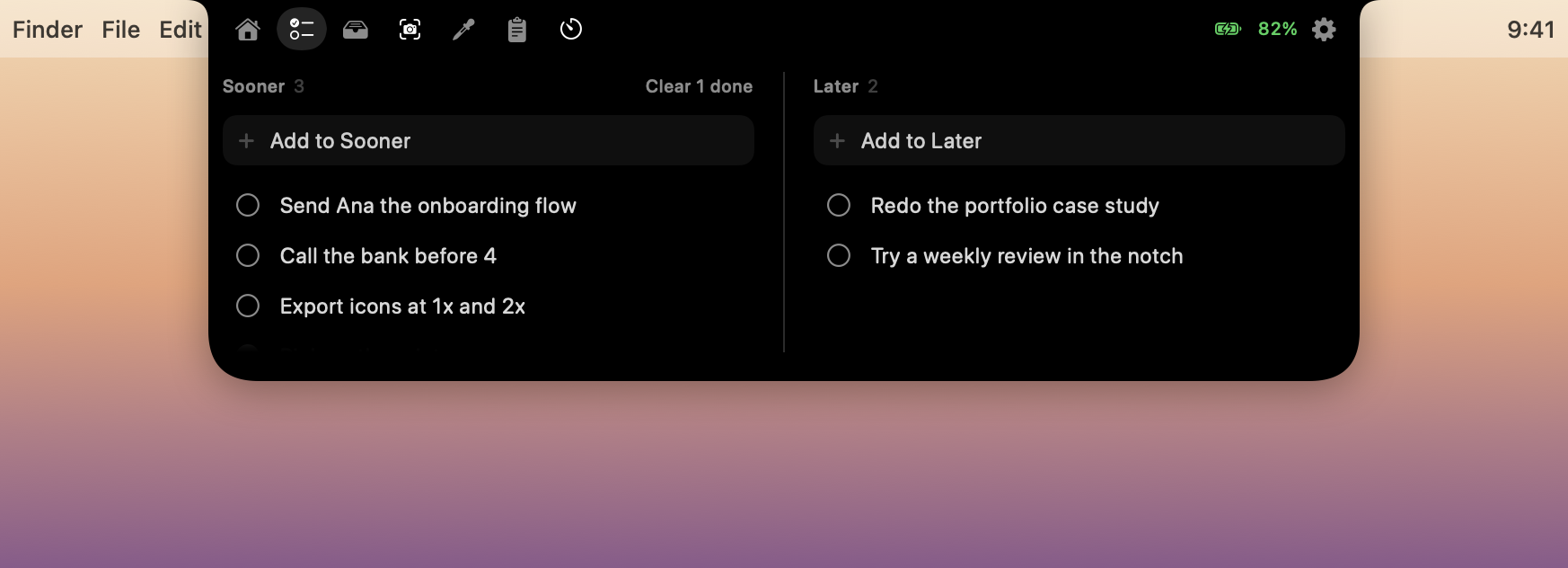
Two to-do lists: Sooner and Later
To-do — two lists, Sooner and Later, and nothing else
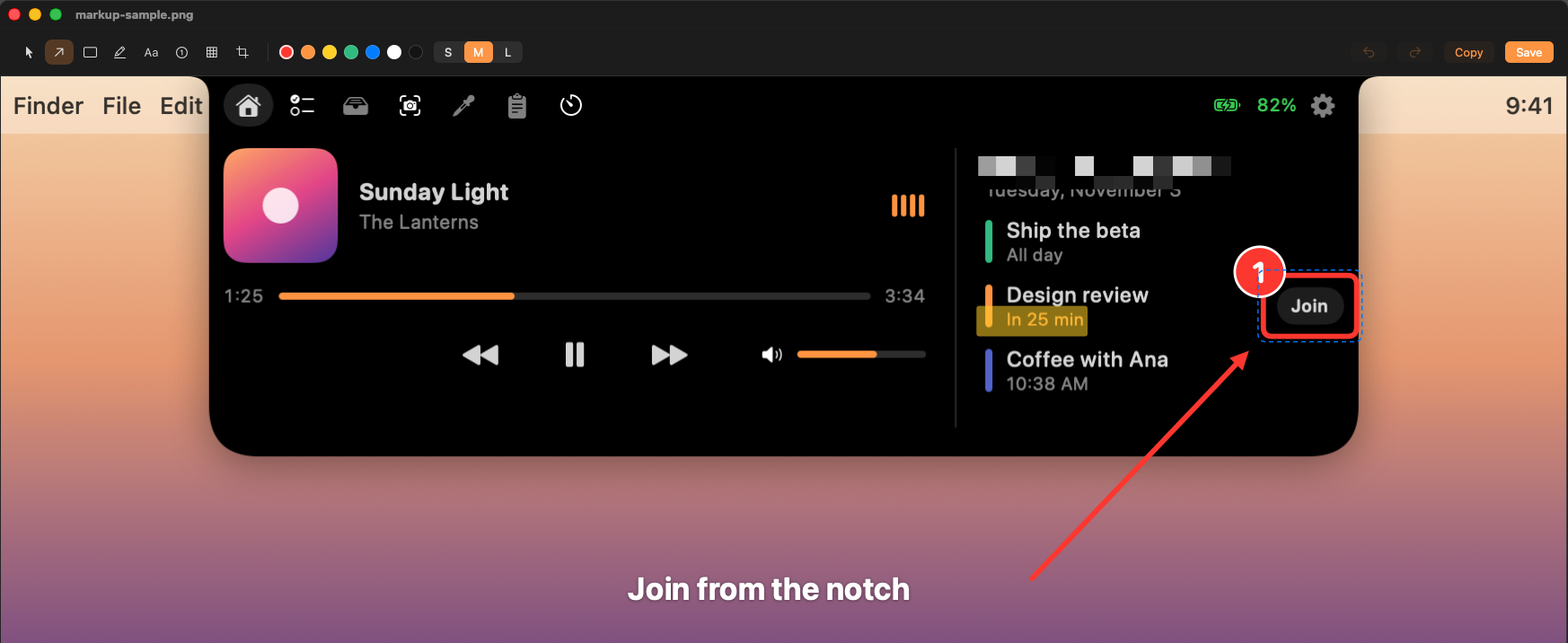
Markup over the real Home tab: Join boxed and numbered, the countdown highlighted, the greeting pixelated, an arrow labeled Join from the notch
Markup, on a real screenshot — box, number, highlighter, pixelate for private bits, one labeled arrow
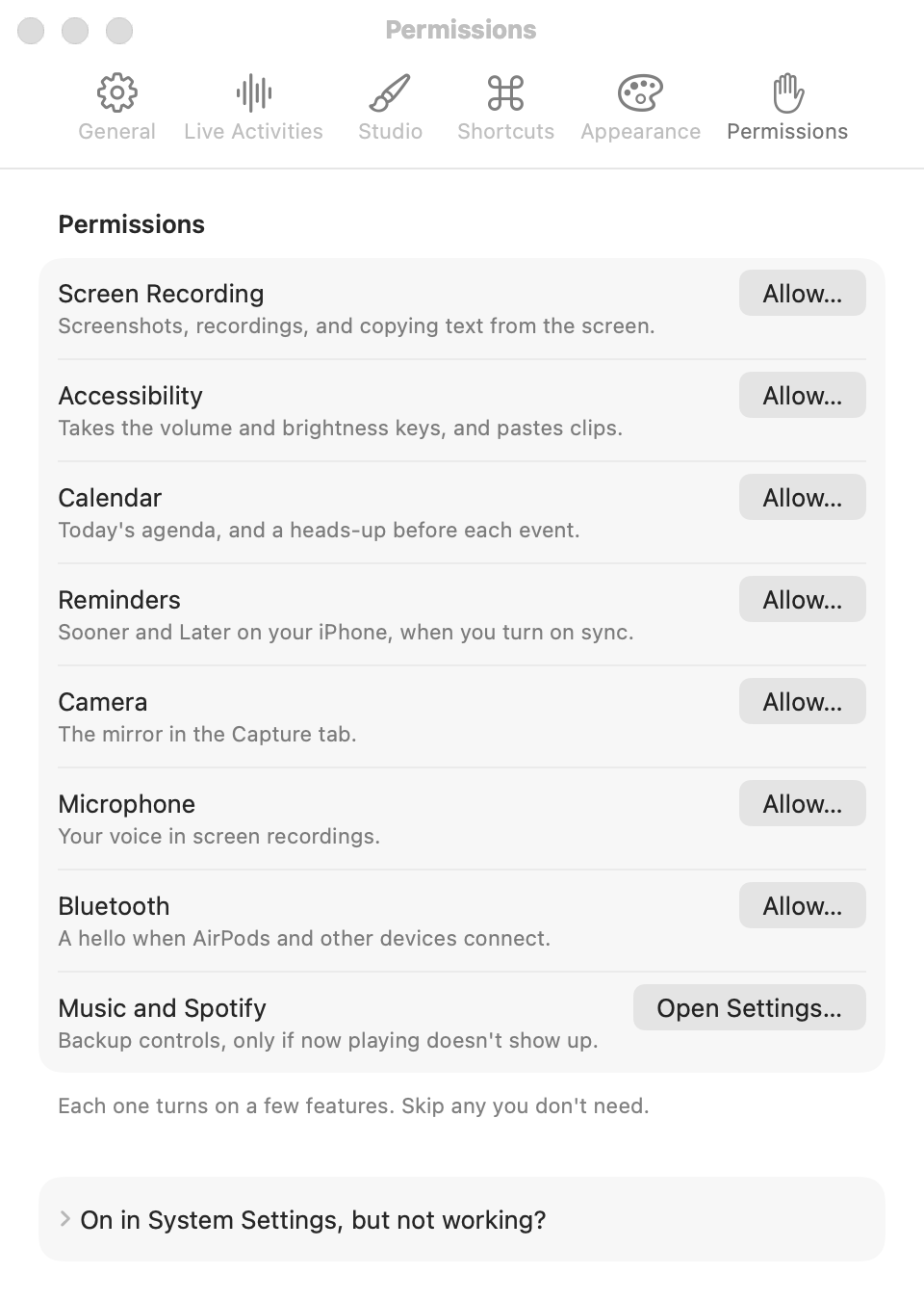
Settings with every permission in one place
Settings, the Mac way — every permission in one place, with fixes for the stuck ones

Motion, budgeted by frequency

Every animation picks one of five tokens. Reduce Motion is honored everywhere; Nook idles at about 0% CPU.

micro100 mshovers, level bars
quick160 msclosing, closed-island swaps, tabs — seen 100+ times a day
standard200 mstoasts, the Duo bubble, Shelf changes
open220 msopening the island: no bounce, it happens all day
delight400 msrare or first-time moments only, like the welcome
04

A MacBook that tells the story

A MacBook Pro built in Three.js from shapes in code, lit like the brand. The lid opens on load; scrolling turns it toward you, rises to the notch, then plays six chapters on its screen. The screen is the real HTML island, warped onto the display every frame — you can hover it.
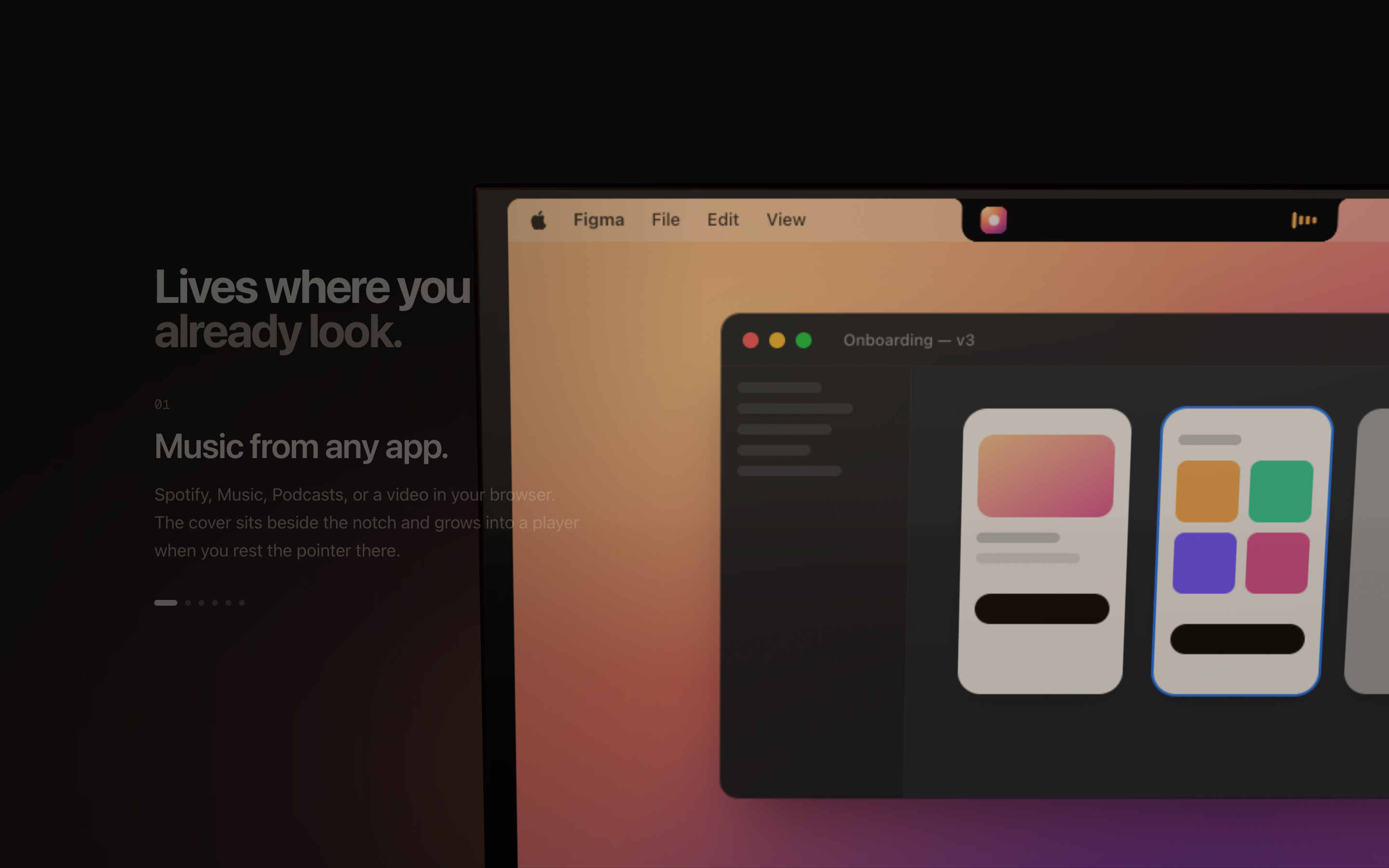
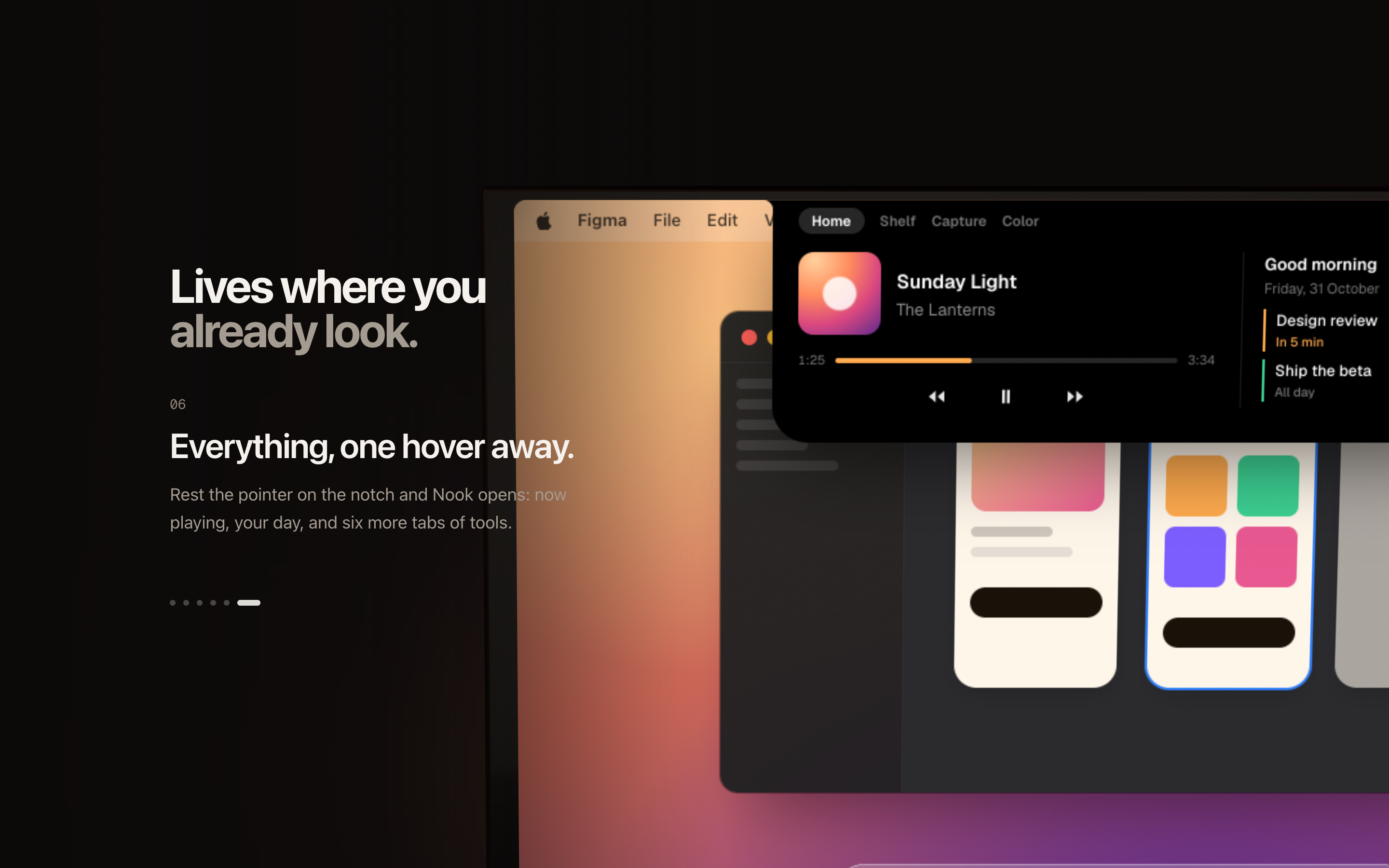
Not a mockup — the real site, embedded live. Scroll it: the lid opens, the MacBook turns, the chapters play.
A story chapter: music on the island
Six chapters play on the MacBook's screen while the copy changes beside it
A story chapter: the island open
The screen is live HTML, not a video
The smaller-files section
Honest numbers — from the app's own benchmark of the screenshot shown
The studio section
“Straight from the app”: real states from Nook's own snapshots
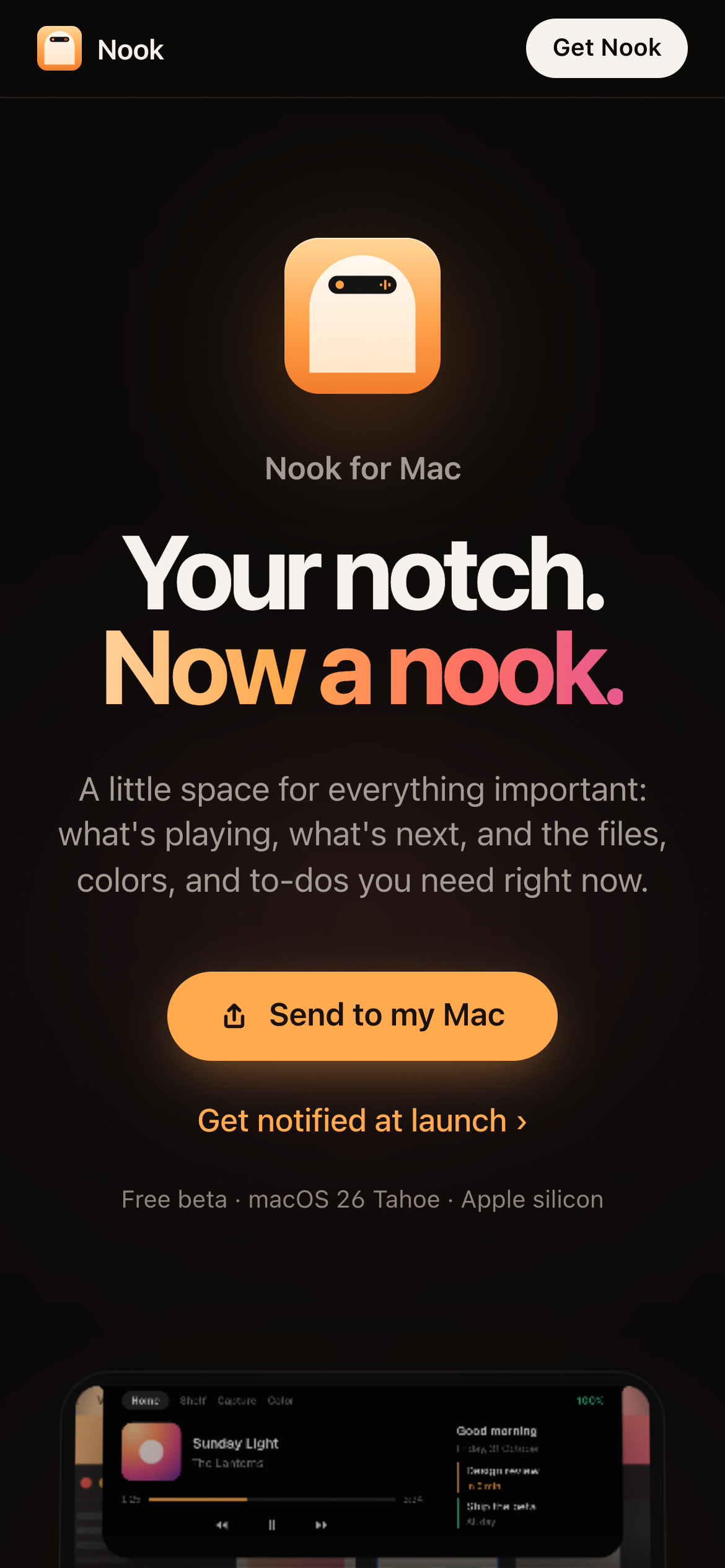
The phone hero
The phone story close-up
Send to my Mac on the phone

You can't install a Mac app on a phone — so phones get Send to my Mac instead of a dead download button.

05

Four days, reviewed hard

Built with Claude Code as an AI pair programmer — 76 unit tests, 89 in-app checks, snapshot tests of every island state. Reviews drove the work: one written site review became 18 numbered fixes.

30 OctThe brief: voice, states of the island, system hooks
31 OctThe island and live activities; the studio tools; Markup; SSIM-measured optimize; drop zones with live results; motion tokens; the first site
1 NovTo-dos (Sooner and Later), undo and keyboard control, the volume slider
2 NovPermissions, Join for calls, mini player, capture bar, Markup and Shelf rebuilt, Reminders sync, the 3D site, and a point-by-point UI/UX review

Next: Developer ID and notarization, automatic updates, a custom domain, a real demo video. It's a public beta — honest about it everywhere, including here.